
Download Unstoppable Copier – Data Recovery, CD Recovery, Disk Repair, File Copying, Free Tool
Overview
Unstoppable Copier is a mobile application designed to assist users in recovering data from damaged storage media such as scratched CDs, defective hard drives, and corrupted disks. Its primary purpose is to address the common issue of data loss due to physical damage or read errors, offering a resilient alternative to standard copying methods that typically halt upon encountering a problem. This app is especially valuable for individuals who rely on older digital media or who have experienced accidental damage to their storage devices.
Target users include home users, students, and professionals who need to retrieve important files from aging or compromised storage. It is particularly useful in scenarios where data cannot be replaced, such as personal photos, academic documents, or archived projects. The app operates as a utility tool focused on file integrity and recovery, positioning itself as a reliable solution in the broader mobile app ecosystem for digital preservation.
Developed by an unnamed entity, Unstoppable Copier has been available since its release on September 16, 2010. While specific developer background information is not provided, the app's long-standing presence suggests consistent functionality and user trust. Its free-to-use model further enhances accessibility, making it a noteworthy option in the niche of data recovery tools.
Key Features & Functionality
Unstoppable Copier offers a suite of features tailored to maximize data recovery from damaged media while maintaining usability across various scenarios. The app’s standout capability is its ability to continue copying even when errors are detected, ensuring that partial data transfer is preserved and not lost due to a single failed sector. This persistence allows users to salvage as much information as possible, even from severely damaged disks.
- Continues on Errors: The app does not abort copying when encountering read errors, instead attempting to recover data from the remaining readable sectors.
- Custom Recovery Levels: Users can adjust the recovery intensity based on the extent of damage, enabling a balance between speed and data retrieval.
- Folder and Subfolder Recovery: Allows selection of a starting directory to recover all files and nested subfolders, streamlining the process for complex file structures.
- Multi-Purpose Functionality: Beyond recovery, the app supports standard file copying between folders and devices, enhancing its utility for routine file management.
- Free to Use: The app is available at no cost, making it accessible to users seeking reliable recovery solutions without financial investment.
For example, a user attempting to recover old project files from a scratched CD can initiate the copy process and continue even if the drive skips certain sections. The app will proceed with the remaining data, preserving what can be recovered. Similarly, a student retrieving research documents from a failing external drive can use custom recovery levels to prioritize speed or completeness based on urgency.
Interface, UX & Performance
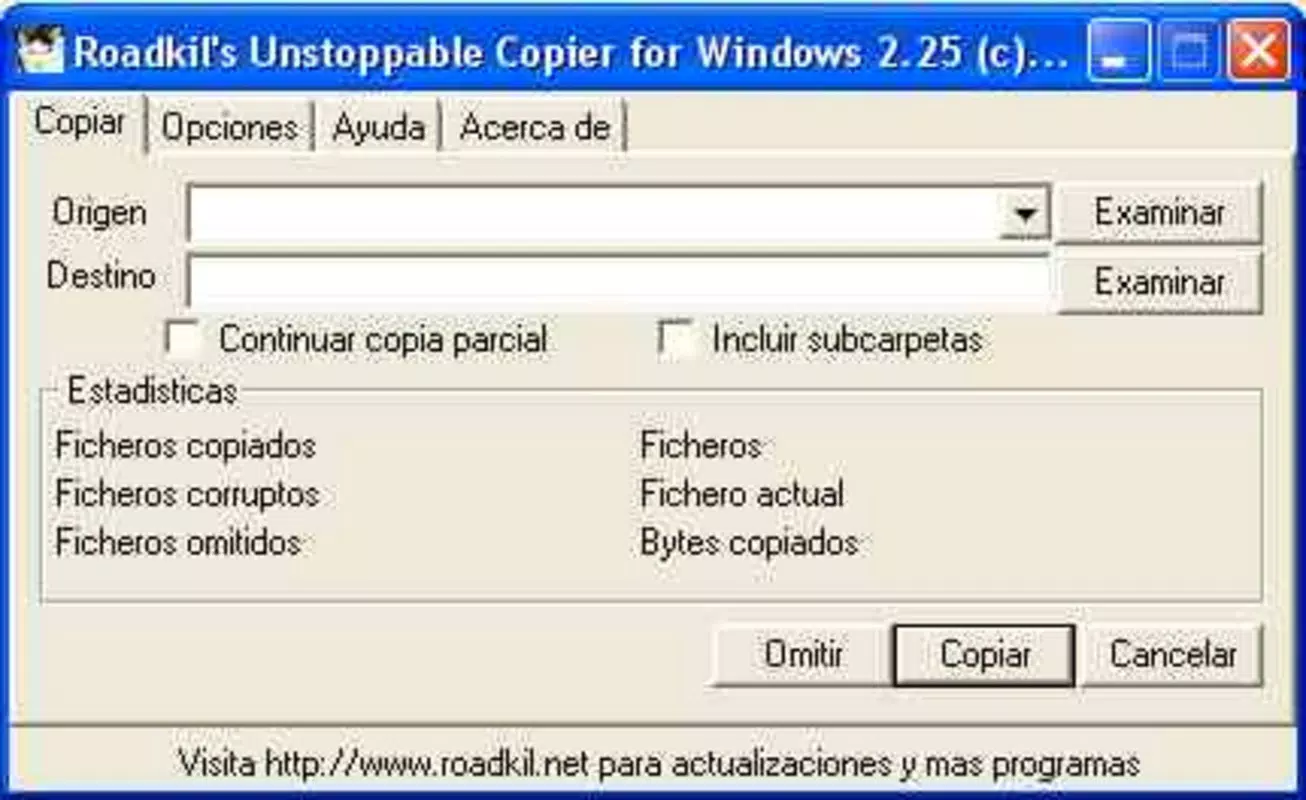
The user interface of Unstoppable Copier is designed with functionality in mind, prioritizing ease of access to core features without unnecessary complexity. The layout appears to follow a straightforward navigation model, allowing users to select source and destination paths, choose recovery options, and start the process with minimal steps. Visual elements are likely minimal, focusing on clarity and usability rather than decorative design.
Navigation flow is expected to be linear and intuitive, guiding users through the recovery process in a step-by-step manner. The app likely includes clear prompts for file selection, progress tracking, and error handling, which enhances the overall user experience, especially for non-technical users. Responsiveness appears to be consistent, though specific performance metrics were not disclosed by the developer.
Although the developer did not list formal performance metrics, the app’s ability to handle errors during copying suggests optimized background processing. Stability is likely maintained through error-resistant algorithms, ensuring that the app does not crash during prolonged recovery sessions. Performance may vary depending on device capabilities, but the app is designed to operate efficiently on standard mobile hardware.
Platform Compatibility & Technical Requirements
Unstoppable Copier is available on the Android platform, with the latest version released on September 16, 2010. The app’s file size is not specified in the provided information, which limits insight into storage requirements or installation feasibility on low-capacity devices. Compatibility details such as minimum OS version or device specifications were not fully disclosed.
The developer did not specify minimum OS requirements, nor did they list supported device types or hardware configurations. As a result, users should proceed with caution when installing on older or less common Android devices. The absence of detailed technical requirements suggests that the app may be compatible with a broad range of Android versions, but this cannot be confirmed without further information.
Given its release date, the app may not support the latest Android features or security protocols. Users should ensure their device meets basic compatibility standards before attempting installation. For optimal performance, it is recommended to use the app on devices with stable storage access and sufficient processing power.
Pros and Cons
- Free to use, reducing financial barriers to data recovery
- Continues copying despite errors, improving recovery success rates
- Supports recovery of entire folder structures, including subfolders
- Offers customizable recovery levels for flexible performance tuning
- Functions as both a recovery tool and a general file copier
- Release date is over a decade old, raising concerns about modern compatibility
- No official updates have been reported since 2010
- Missing detailed technical specifications and OS requirements
- Potential security risks due to lack of recent maintenance
- Interface design may feel outdated compared to modern apps
FAQ
Is Unstoppable Copier safe to install on my Android device?
Yes, the app is designed as a utility tool and does not require excessive permissions. However, since it has not been updated since 2010, users should exercise caution and ensure they download it from trusted sources.
Can I use Unstoppable Copier to copy files between folders on my phone?
Yes, the app supports standard file copying between folders and devices, making it useful for general file management tasks in addition to recovery operations.
Does Unstoppable Copier work with damaged hard drives?
Yes, it is designed to recover data from defective hard drives and other damaged storage media by continuing the copy process even when errors occur.
Is there a version of Unstoppable Copier for iOS?
Based on the available information, the app is only confirmed for Android. No iOS version was listed in the provided details.
How do I update Unstoppable Copier if needed?
As of now, no updates have been released since the initial 2010 release. Users should monitor official sources for any future updates, though none are currently available.
Final Thoughts
Unstoppable Copier remains a unique tool in the mobile app landscape for data recovery, offering a free, persistent copying mechanism that stands out from conventional methods. Its ability to continue through errors and recover partial data makes it a valuable asset for users dealing with damaged media. While its age raises concerns about compatibility and security, the core functionality remains relevant for specific use cases.
Those who rely on older digital storage or need a no-cost solution for file recovery will benefit most from this app. Its dual role as both a recovery tool and a file copier adds to its practicality. Despite the lack of recent updates, its proven track record and free access make it a compelling choice for niche scenarios.
Download Unstoppable Copier now


